A look inside
Built for people who care how it looks
Every card starts from your real GPS data — then you control every part of it.
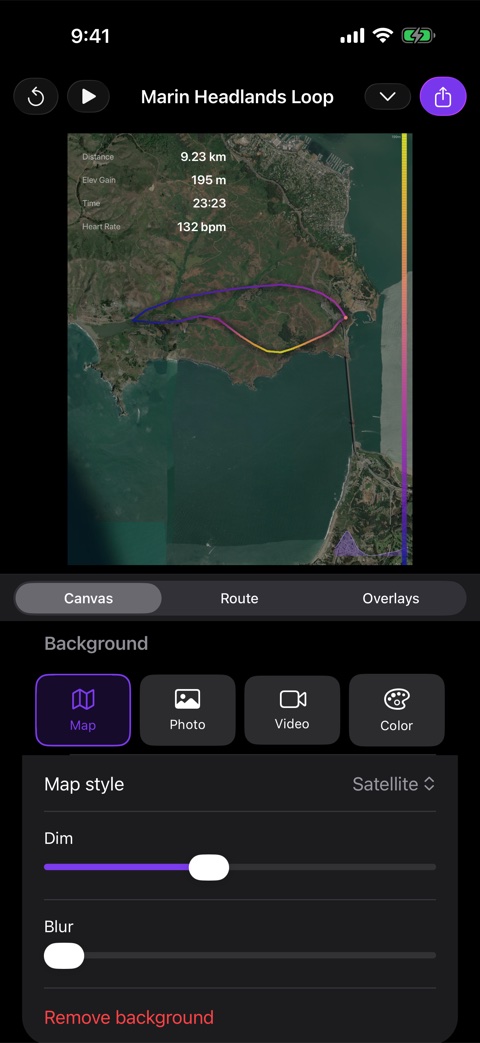
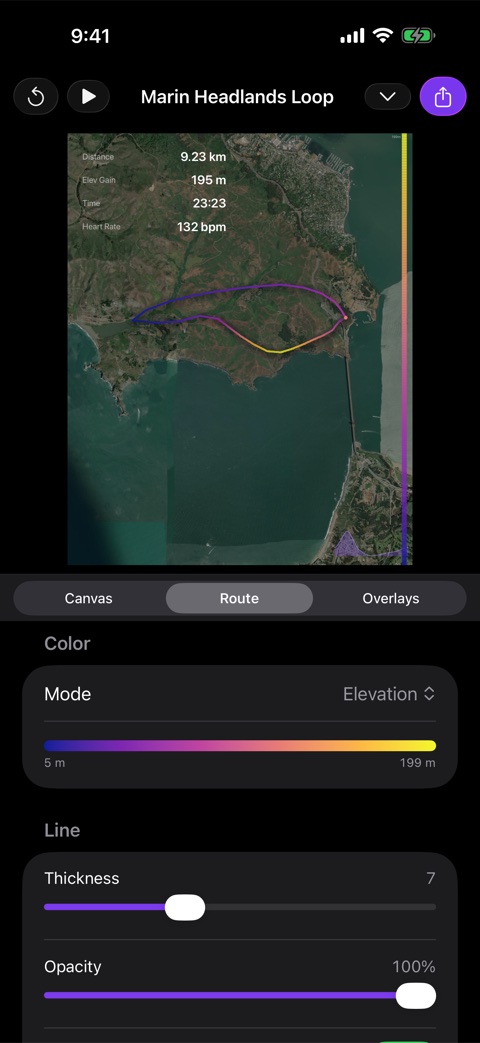
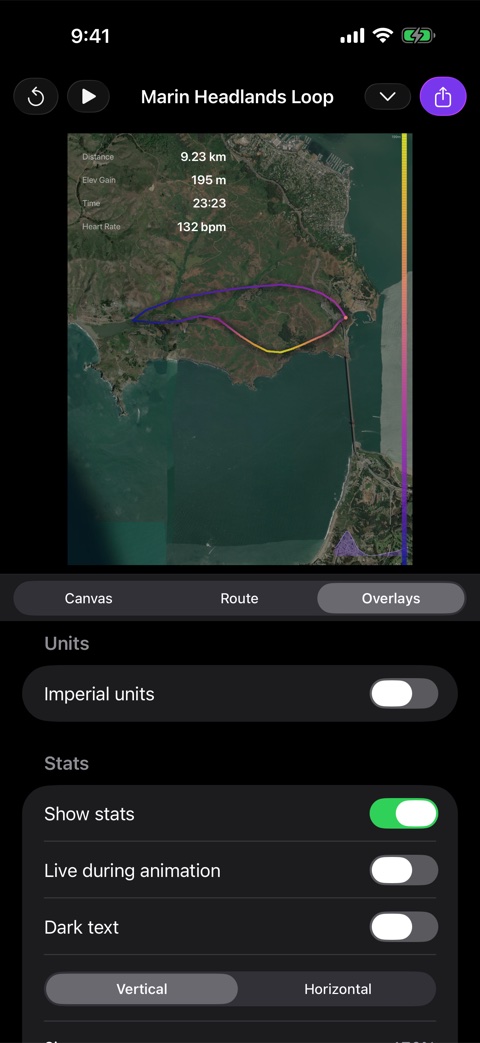
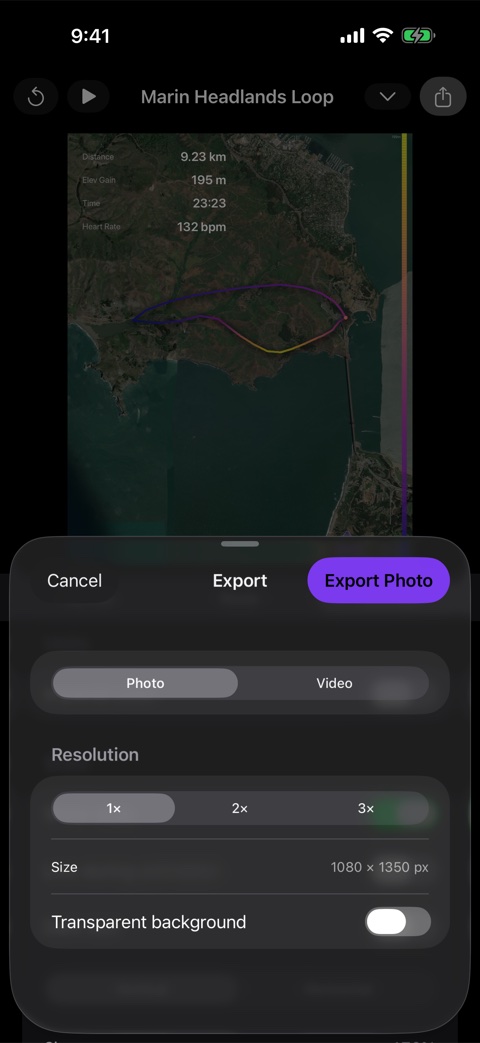
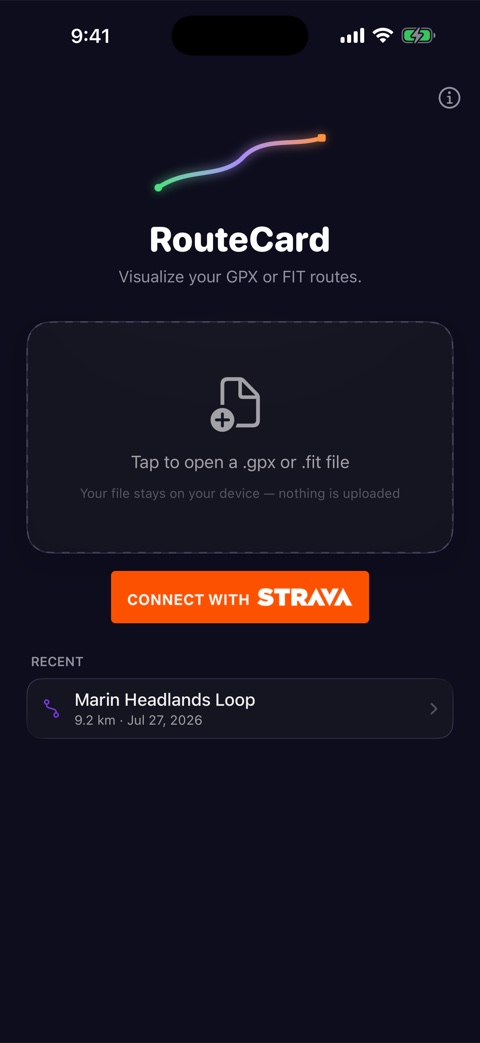
RouteCard turns any ride, run, or hike into a polished route card or animated video. Import from Strava or open a GPX/FIT file, style it over maps, photos, or video, and share in seconds — all on your phone.
Every card starts from your real GPS data — then you control every part of it.
Powerful enough for creators, simple enough for one-tap sharing.
Open files from Garmin, Wahoo, and every other major device, or import a workout straight from Apple Health — heart rate, power, and cadence included.
Connect Strava and pull any activity directly — rides, runs, hikes. Search your history by name, and open any activity back on Strava in a tap.
Place your route over a map you can pinch to zoom — it refetches at full detail as you go — or your own photo, your ride footage, or a clean solid colour.
Colour by elevation, gradient, speed, heart rate, power, cadence, or time. Tune thickness, opacity, outline, and shadow; add start/end markers and kilometre or mile markers.
Show distance, elevation, time, speed, pace, power, heart rate, and cadence — plus an elevation chart, a per-kilometre splits table, and a title. Drag anywhere, pinch to resize.
Watch your route draw itself, then export a crisp MP4 at 8, 15, 30, or 60 seconds — sized for Reels, Stories, and TikTok.
Add clips from the ride and they play back to back as the background, for their own full length, while the route draws over them.
Drop in a photo from the ride and it fills the card, with the route, the stats and the title over it. Blur it, dim it, or leave it as shot.
Square, portrait, story/reel, and widescreen formats. Export a high-resolution image, an animated video — or a transparent PNG to drop onto your own designs.
Your routes are processed entirely on your device, and you can hide the start and end of the drawn line so a shared card never shows where you live. Your distance and times stay complete.
Reopens on the route you were editing, keeps your style between sessions, and remembers your recent activities.
Open a GPX or FIT file, import from Apple Health, or connect Strava and pick any ride or run.
Choose a background, style the route, add your photos and clips, and arrange your stats and overlays.
Save a high-quality image or an animated video and share it anywhere.
RouteCard runs entirely on your phone. Files are processed locally — there are no accounts, no tracking, and no analytics. Read the privacy policy.
iPhone first, with Android close behind. Same app, same private-by-design approach.
The full app — map, photo and video backgrounds, route styling, stats, elevation chart, and animated MP4 export. Download on the App Store.
An Android version is on the way, bringing the same route cards and animated exports to Google Play. Want to hear when it lands? Drop us a note.
$1.99/month with a free 14-day trial. Private, and made for the way you ride and run.
